Kryptosino Payment Methods (Deposits & Withdrawals) in Canada
Kryptosino supports a broad payment ecosystem built for Canadian players, covering both crypto and fiat options. Accepted methods include Bitcoin, Ethereum, Litecoin, Tether (USDT), Dogecoin, Ripple (XRP), Monero, Tron, Zcash, Bitcoin Cash, Dash, and Binance Coin. Deposits start from as low as CAD 10, with no upper ceiling published for high-volume transactions. Withdrawals carry a minimum of CAD 20 and are processed with zero platform fees. New players also receive a 100% wager-free welcome bonus up to CAD 500 on their first deposit.

How to Deposit on Kryptosino in Canada
Funding your account at Kryptosino takes under five minutes once your account is verified. The minimum deposit is CAD 10, and no platform commission applies to any incoming transaction.
- Click the Deposit Button Below; Register or Log In. Use the button on this page to access the registration form if you are a new player, or log in to your existing account directly.
- Navigate to the Cashier; Open the Deposit Section. Locate the Cashier tab in your account dashboard and select the Deposit option to view all available payment methods.
- Select Your Payment Method; Choose a Deposit Option. Pick from supported options including Bitcoin, Ethereum, Tether, Litecoin, Dogecoin, Ripple, Monero, Tron, Zcash, Bitcoin Cash, Dash, Binance Coin, or fiat transfer.
- Enter the Deposit Amount; Confirm the Transaction Details. Type in the amount you wish to deposit (minimum CAD 10), double-check the wallet address or payment details, then confirm.
- Complete the Transfer; Wait for Confirmation. Finalise the payment on your chosen platform or wallet. Crypto deposits typically credit within 1 to 15 minutes depending on network confirmation times.
Kryptosino First Deposit Bonus for New Players
Bonus Details
- Bonus Percentage: 100% match on the first deposit;
- Maximum Bonus Amount: CAD 500;
- Section: Casino (slots, table games, and live casino titles);
- Minimum Deposit to Activate: CAD 20;
- Wagering Requirements: 0x (wager free, no rollover conditions apply);
- How to Activate: Make your first deposit of at least CAD 20 via any supported payment method. The bonus is credited automatically to your account balance upon deposit confirmation. No promo code is required.
Kryptosino rewards new Canadian players with a 100% deposit match bonus up to CAD 500, credited with zero wagering requirements. This is a wager-free offer, meaning winnings derived from the bonus can be withdrawn without completing rollover rounds.
Verify current bonus terms in the Promotions section of your account before depositing, as offer availability may vary.

Kryptosino Deposit Methods, Time, and Limits
Canadian players can fund their accounts using 13 supported payment methods, spanning major cryptocurrencies and fiat transfers. Kryptosino charges zero commission on all incoming transactions, and most crypto deposits reflect in your account balance within 1 to 15 minutes after network confirmation.
| Deposit Method | Min Deposit (CAD) | Max Deposit (CAD) | Deposit Time | Fees |
|---|---|---|---|---|
| Bitcoin (BTC) | CAD 10 | No limit | 1–15 min | None |
| Ethereum (ETH) | CAD 10 | No limit | 1–10 min | None |
| Tether (USDT) | CAD 10 | No limit | 1–10 min | None |
| Litecoin (LTC) | CAD 10 | No limit | 2–15 min | None |
| Dogecoin (DOGE) | CAD 10 | No limit | 2–10 min | None |
| Ripple (XRP) | CAD 10 | No limit | 1–5 min | None |
| Tron (TRX) | CAD 10 | No limit | 1–5 min | None |
| Monero (XMR) | CAD 10 | No limit | 5–20 min | None |
| Bitcoin Cash (BCH) | CAD 10 | No limit | 2–15 min | None |
| Fiat Transfer | CAD 10 | No limit | Up to 3 business days | None |
Processing times reflect standard network conditions. Blockchain congestion may extend confirmation times. All amounts are approximate CAD equivalents converted at the exchange rate at the time of transaction.
How to Deposit on Kryptosino via Mobile App in Canada
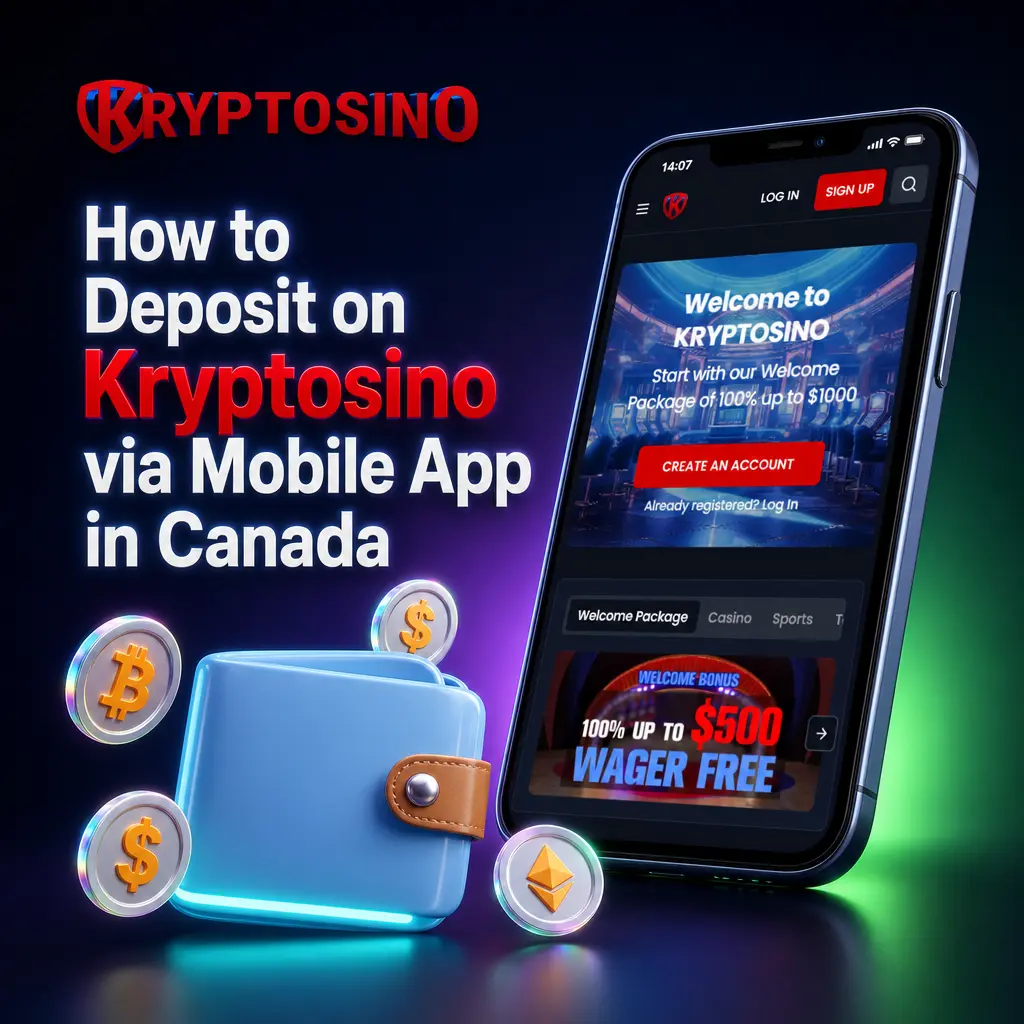
The Kryptosino mobile app supports the full deposit flow directly from your smartphone, without needing a desktop browser. All 13 payment methods available on desktop are accessible through the app on both iOS and Android devices.
- Open the App or This Page; Log In to Your Account. Launch the Kryptosino app on your device or tap the button on this page to access your account. New players can complete registration directly within the app.
- Go to the Cashier Section; Tap Deposit. Select the Cashier icon from the main menu and tap the Deposit button to load the payment method screen.
- Choose Your Payment Method; Select a Crypto or Fiat Option. Pick your preferred method from the list, which includes Bitcoin, Ethereum, Tether, Litecoin, Ripple, Tron, Dogecoin, and other supported options.
- Enter the Deposit Amount; Review Transaction Details. Input the amount (minimum CAD 10), verify the receiving wallet address or banking details on screen, then proceed.
- Authorise the Payment; Await Credit. Confirm the transfer in your wallet app or banking interface. Crypto transactions typically credit within 1 to 15 minutes based on network speed.
How to Withdraw Money from Kryptosino
To request a payout, your account must be fully verified and the withdrawal method must match one used for a prior deposit where applicable. The minimum withdrawal amount is CAD 20, and Kryptosino applies no fees on outgoing transactions.
- Log In on This Page; Access Your Account. Use the login option available on this page to access your Kryptosino account. Ensure your identity verification is complete before requesting a payout.
- Open the Cashier; Select Withdrawal. Navigate to the Cashier section within your account dashboard and tap or click the Withdrawal tab.
- Choose a Withdrawal Method; Select Your Preferred Option. Pick from supported crypto options including Bitcoin, Ethereum, Litecoin, Tether, Ripple, Tron, Dogecoin, Monero, and others, or choose fiat transfer if applicable.
- Enter Your Wallet Address and Amount; Review the Request. Input the correct wallet address for your selected cryptocurrency and specify the withdrawal amount (minimum CAD 20). Verify all details before submitting.
- Submit the Withdrawal Request; Await Processing. Confirm the request. Crypto withdrawals are typically processed within 1 to 24 hours. Fiat transfers may take up to 3 business days depending on the provider.
Kryptosino Withdrawal Methods, Time, and Limits
Canadian players can withdraw funds using the same crypto and fiat methods available for deposits. Kryptosino charges no fees on any payout, and the minimum withdrawal amount is CAD 20 with no published maximum cap.
| Payment Method | Min Withdrawal (CAD) | Max Withdrawal (CAD) | Withdrawal Time | Fees |
|---|---|---|---|---|
| Bitcoin (BTC) | CAD 20 | No limit | 1–24 hours | None |
| Ethereum (ETH) | CAD 20 | No limit | 1–12 hours | None |
| Tether (USDT) | CAD 20 | No limit | 1–12 hours | None |
| Litecoin (LTC) | CAD 20 | No limit | 1–12 hours | None |
| Dogecoin (DOGE) | CAD 20 | No limit | 1–12 hours | None |
| Ripple (XRP) | CAD 20 | No limit | 1–6 hours | None |
| Tron (TRX) | CAD 20 | No limit | 1–6 hours | None |
| Monero (XMR) | CAD 20 | No limit | 2–24 hours | None |
| Bitcoin Cash (BCH) | CAD 20 | No limit | 1–12 hours | None |
| Fiat Transfer | CAD 20 | No limit | 1–3 business days | None |
All CAD amounts are approximate equivalents converted at the live exchange rate at the time of the withdrawal request. Processing times may vary based on blockchain network conditions.
How to Withdraw Funds from Kryptosino via App in Canada
- Open the App or Log In via This Page; Access Your Verified Account. Launch the Kryptosino app on your smartphone or use the button on this page to log in. Confirm that your KYC verification is approved before proceeding.
- Navigate to the Cashier; Tap Withdrawal. From the main app menu, select Cashier and then tap Withdrawal to load the payout screen.
- Select a Withdrawal Method; Choose Your Crypto or Fiat Option. Pick your preferred payment method from the available list, including Bitcoin, Ethereum, Tether, Litecoin, Ripple, Tron, and other supported currencies.
- Enter Wallet Address and Withdrawal Amount; Review All Details. Input your correct wallet address, specify the amount to withdraw (minimum CAD 20), and confirm all details are accurate before proceeding.
- Submit and Monitor the Request; Await Confirmation. Tap confirm to submit the withdrawal. Crypto payouts are typically processed within 1 to 24 hours. You can track the status directly within the app.
Kryptosino Payment Rules and Conditions
All financial transactions on Kryptosino are governed by specific rules designed to protect player funds and maintain platform security. Canadian players must review these conditions before initiating any deposit or withdrawal.
- Identity Verification (KYC): All accounts must complete identity verification before a withdrawal request can be processed. Accepted documents include a government-issued photo ID and proof of residential address dated within 90 days.
- Matched Method Policy: Withdrawals must be processed via a method used for a prior deposit where technically required. This prevents third-party transfers and protects against unauthorised payouts.
- Minimum Transaction Thresholds: The minimum deposit is CAD 10. The minimum withdrawal is CAD 20. Transactions below these thresholds will not be processed by the system.
- Bonus Fund Restrictions: Funds credited as part of a promotional offer, including the 100% wager-free welcome bonus up to CAD 500, are subject to the specific terms outlined in the Promotions section. Confirm applicable conditions prior to depositing.
- Account Currency and Conversion: Kryptosino accounts operate in cryptocurrency or fiat equivalents. All CAD figures shown represent converted values at the live exchange rate at the time of the transaction. Exchange rate fluctuations are the player’s responsibility.
Possible Problems with Payments on Kryptosino
Most payment issues on Kryptosino have a straightforward resolution. Below are the most common problems Canadian players encounter and the steps to address each.
- Deposit Not Credited: If a crypto deposit does not appear in your account balance after 30 minutes, check the transaction hash on a blockchain explorer to confirm the required number of network confirmations. Contact support with the transaction ID if the deposit remains unconfirmed after 1 hour;
- Withdrawal Request Delayed: Withdrawal requests are typically processed within 1 to 24 hours for crypto. If your request exceeds 24 hours without movement, verify that your KYC documents are approved and that no pending verification step remains in your account profile;
- Account Verification Rejected: KYC rejection usually results from a blurry document image, an expired ID, or a mismatch in the name or address on file. Re-submit clear, high-resolution copies of a valid government ID and a recent proof of address dated within 90 days;
- Wrong Wallet Address Submitted: Cryptocurrency transactions are irreversible once broadcast to the network. Always copy-paste the wallet address rather than typing it manually. Kryptosino cannot recover funds sent to an incorrect address;
- Payment Method Unavailable: Certain deposit or withdrawal options may be temporarily restricted due to network maintenance or regional compliance requirements. Select an alternative supported method from the Cashier and contact support to confirm the status of your preferred option.
Customer Support Contacts for Payment Enquiries
Kryptosino provides dedicated assistance for all payment-related issues, with support channels available 24 hours a day, 7 days a week for Canadian players.
- Live Chat: Available directly within your account dashboard for immediate assistance with deposit or withdrawal queries. Average response time is under 2 minutes;
- Email Support: Submit detailed payment issues, including transaction IDs and supporting screenshots, to the support email address listed in the Help section of your account. Responses are typically issued within 24 hours;
- Help Centre / FAQ: The on-site Help Centre covers step-by-step guides for deposits, withdrawals, verification, and common payment errors. Accessible without logging in.